
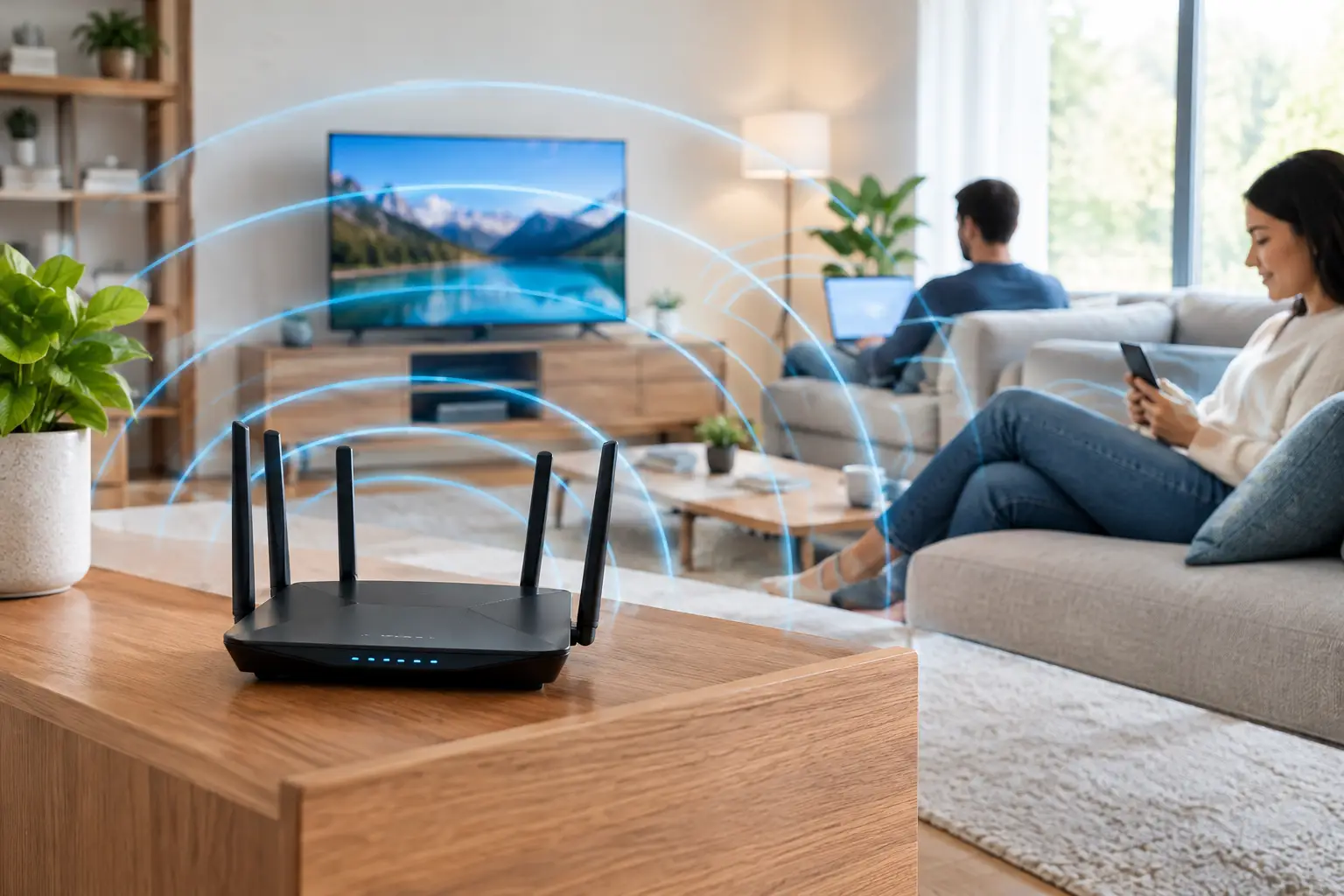
A router can have a fast internet plan behind it and still deliver weak Wi-Fi in the rooms where people actually use it. Learning how to place wifi router equipment correctly is often the fastest way to improve streaming, video calls, gaming, and everyday browsing without buying a new plan or replacing your equipment.
The best starting point is usually an open, central location that is elevated and away from thick walls, large appliances, and clutter. That sounds simple, but the right spot depends on your home’s layout, where the internet connection enters the house, and which rooms need the strongest signal.
Start as close to the center of the home as possible
Wi-Fi travels outward from the router in all directions. When the router sits at one far end of the house, much of that signal is sent toward the yard, garage, or a neighbor’s property instead of toward the rooms where your family uses devices.
A central location gives Wi-Fi the best chance of reaching bedrooms, living areas, home offices, and connected devices with fewer weak spots. In a single-story home, this may be a shelf or table near the middle of the floor plan. In a two-story home, a location near the center of the house and roughly between floors is often helpful.
Central does not have to mean mathematically perfect. If your household uses most of its internet in a living room, office, or family room, it is reasonable to place the router somewhat closer to that area. The goal is to balance coverage, not to make one room perfect while leaving the rest of the home struggling.
Put the router in the open and up off the floor
A router hidden inside a cabinet, behind a television, or on the floor has more obstacles around it. Wi-Fi signals can pass through many materials, but every wall, door, piece of furniture, and appliance can reduce their range or reliability.
Place the router on a desk, bookshelf, open console table, or wall shelf when possible. A higher position usually helps because furniture and people are less likely to block the signal. You do not need to mount it near the ceiling, but waist to chest height or higher is generally better than placing it on the floor.
Avoid enclosing the router in a media cabinet just because it keeps cords out of sight. Heat can build up there, and the cabinet itself can weaken the wireless signal. If the router must be near your TV equipment, leave plenty of open space around it and keep it in front of, rather than behind, other electronics.
Keep it away from common sources of interference
Some household items interfere with Wi-Fi more than others. The 2.4 GHz Wi-Fi band is especially susceptible to interference because it shares space with other common wireless devices. Modern routers often also use 5 GHz and 6 GHz bands, which can offer better performance at shorter distances, but placement still matters.
Keep the router away from these items when you have another reasonable option:
- Microwave ovens, which can briefly interfere with 2.4 GHz Wi-Fi when running
- Large metal objects, filing cabinets, and metal shelving
- Refrigerators, washers, dryers, and other large appliances
- Cordless phone bases, baby monitors, and older wireless devices
- Fish tanks or large water features, since water can weaken wireless signals
- Dense clusters of electronics, including a crowded entertainment center
Concrete, brick, plaster, stone fireplaces, and older walls with metal mesh can also cause major signal loss. In an apartment or condo, neighboring Wi-Fi networks can add congestion as well. You cannot move every obstacle, but moving the router even a few feet away from a problem area can make a noticeable difference.
How to place a WiFi router in a two-story or long home
Homes with unusual layouts need a little more planning. A router at one end of a long ranch-style home may cover the nearby rooms well but leave the far bedrooms with weak service. A single router also may have trouble covering a three-story home, a finished basement, or a detached office.
For a two-story home, try to place the router near the middle of the first floor or second floor, rather than at an extreme corner. If it is upstairs, aim for an area near the stairway or an open central space instead of placing it against an exterior wall. Stairs and open hallways can sometimes provide a clearer path for the signal than a series of closed rooms.
For a long home, position the router as near the middle of its length as the incoming internet connection allows. If that is not possible, it may be worth having the modem or internet connection moved, particularly during a renovation or a new installation. For renters, a longer Ethernet cable may allow the router to sit farther from the wall connection while remaining within the same room.
A detached garage, backyard office, or workshop is a separate coverage challenge. A standard router may not reach it reliably, especially through exterior walls. An outdoor-rated access point, a wired access point in the outbuilding, or a properly planned mesh system is usually more dependable than hoping a basic extender will reach that far.
Do not confuse the modem’s location with the router’s best location
Many homes have a modem and router sitting together because that is where the cable, fiber, or fixed wireless service enters the home. That setup is convenient, but it is not always ideal for Wi-Fi coverage.
In many cases, you can connect the router to the modem with an Ethernet cable and move the router to a better spot. Ethernet cables can run along baseboards, through a basement, or through existing structured wiring, depending on the home. A wired connection between the modem and router gives you flexibility without sacrificing performance.
If your provider supplied a gateway, it combines a modem and router in one box. Moving it may be more complicated because it needs to stay connected to the incoming service line. Before relocating it, make sure the new location has the right type of active connection. Fiber equipment, cable outlets, and fixed wireless gateways each have different installation requirements.
Position antennas thoughtfully, if your router has them
External antennas do not work like TV antennas that should all point in one direction. Most router antennas send a broad signal pattern around their sides, so their orientation affects where coverage is strongest.
For a one-story home, positioning antennas vertically is usually a good first choice. For a two-story home, try placing one antenna vertically and another horizontally, if your router allows it. This can help devices on different floors receive a more usable signal orientation.
Do not expect antenna adjustments to solve a major layout problem. They can fine-tune coverage, but they cannot overcome a router trapped behind a brick fireplace or buried in a basement utility room.
Test the signal where it matters, not beside the router
Standing next to the router and seeing full Wi-Fi bars tells you very little about the rooms that matter. Test from the couch where you stream, the desk where you take calls, the bedroom where someone games, and any spot where smart devices disconnect.
Use the same device for each test when possible. Walk through the home and note whether pages load slowly, video calls freeze, or a speed test drops sharply in certain rooms. Run tests at different times of day if problems happen mainly in the evening, since neighborhood congestion or household activity can affect results too.
A practical household internet plan should generally start at 100 Mbps, while active families with many devices often benefit from 300 to 500 Mbps or more. But a weak Wi-Fi signal can prevent devices from using the speed you already pay for. Improve placement before assuming your plan is the problem.
When a better location is not enough
A single router has limits. If coverage remains weak after moving it to an open, central spot, the home may be too large, too spread out, or built with materials that block wireless signals.
A mesh Wi-Fi system can help by using multiple units to cover different areas. For the best results, place mesh units where they still receive a strong signal from the main router, not deep inside an existing dead zone. A wired Ethernet connection between mesh units is even better when available.
A wired access point is another strong option, especially for a home office, basement, or far end of the house. Wi-Fi extenders can be useful for a small problem area, but they often reduce speed and are less reliable than mesh or wired solutions. They work best when placed halfway between the router and the weak area, not in the weak area itself.
Before spending money, try one simple experiment: move the router temporarily to a more open and central location, then test your most troublesome rooms for a day or two. That real-world result will tell you far more than the router’s advertised coverage number on the box.