
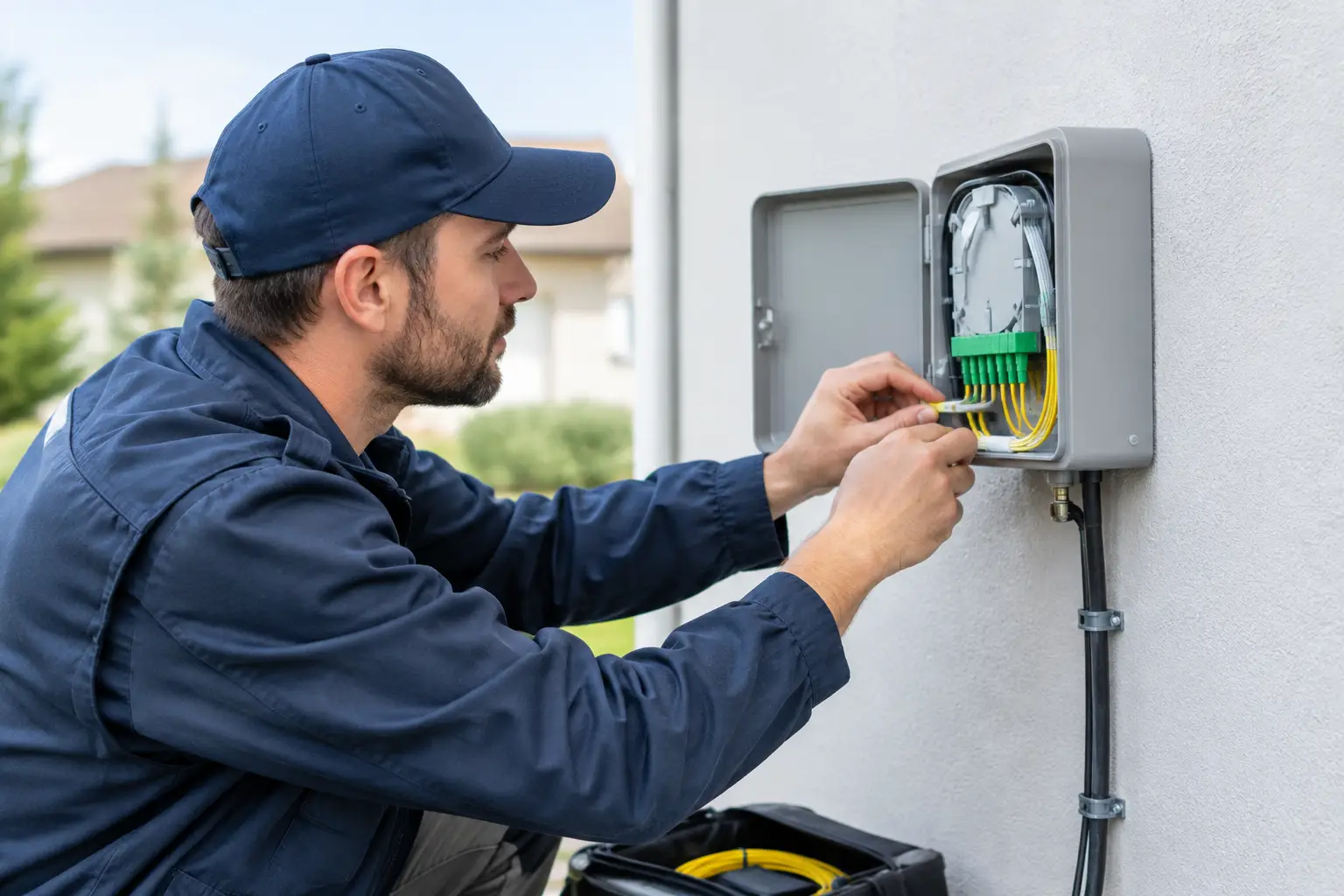
A fiber installation appointment is usually less disruptive than people expect, but a little planning makes a real difference. The fiber installation process typically involves bringing a thin fiber-optic line from the street or a shared building connection to your home, installing a small piece of equipment inside, and confirming that your internet and Wi-Fi work before the technician leaves.
The exact work depends on where you live. A single-family home may need a new line run from a utility pole, underground handhole, or neighborhood fiber box. In an apartment or condo, the building may already be wired, which can make installation much faster. Either way, knowing what the technician is there to do can help you choose the right equipment location and avoid surprises.
What happens during the fiber installation process
Fiber carries internet data as pulses of light through strands of glass. Those strands are extremely thin, but they need to be protected from sharp bends, moisture, and accidental damage. That is why the installation has both an outdoor and indoor portion.
For a house, the technician first confirms where the service line enters the property. If the neighborhood fiber network is already active, they may run a drop cable from a pole, pedestal, or underground access point to the side of the home. The cable is usually secured along an exterior wall and brought inside through a small, sealed hole.
Inside, the technician installs an optical network terminal, usually called an ONT. Think of the ONT as fiber’s version of a modem. It converts the light signal traveling over the fiber line into an Ethernet connection your router can use. Some providers use a combined ONT and Wi-Fi gateway, while others install a separate ONT and router.
The technician will then activate the line, test the optical signal, connect the router or gateway, and verify that devices can get online. A typical appointment may take two to four hours, although outdoor construction, difficult wiring paths, or a missing utility connection can take longer.
The ONT location matters more than most people realize
The ONT needs power, so it must be installed near a working electrical outlet. It also needs a practical path for the fiber cable. A garage, basement, utility room, or exterior-facing room is often easiest for the installer, but it is not always the best place for Wi-Fi.
If your router is built into the ONT or gateway, placing it in a garage or enclosed utility closet can weaken Wi-Fi throughout the home. Ask whether the ONT can be installed separately from the router. With a separate setup, an Ethernet cable can connect the ONT to a router placed in a more central, open area of the home.
That choice is especially worthwhile in larger homes, homes with multiple floors, or households using smart TVs, gaming consoles, security cameras, and many connected devices. Fiber service can be very fast at the ONT while Wi-Fi remains poor in distant rooms. The two are related, but they are not the same thing.
How to prepare before the installer arrives
The best preparation is deciding where you want your main Wi-Fi equipment before the appointment. Walk through the home and identify a central location that has an outlet, ventilation, and enough space for a router. Avoid putting the router behind a television, inside a cabinet, next to a large metal panel, or on the floor.
If you work from home, stream in a media room, or use a desktop computer that benefits from a wired connection, tell the technician. They may be able to suggest a better ONT location or explain whether Ethernet wiring is already available. Installation technicians generally focus on getting the service to the home and activating it, not on rewiring every room, so set expectations early.
For renters, get permission before any new holes are drilled or exterior cable is attached. An apartment building may require approval from a property manager, and some landlords have rules about where equipment can be mounted. In many larger buildings, the provider must also have access to a shared telecom room. If that access has not been arranged, the appointment can be delayed even when your unit is ready.
It also helps to clear a path to the preferred equipment location and make sure someone 18 or older can make decisions about placement. If you have pets, keep them away from the work area. The installer may need access to the side yard, basement, attic, garage, or utility closet.
What fiber installation can and cannot fix
Fiber is capable of supporting very high speeds, low latency, and strong performance when several people are online at once. For most households, 100 Mbps is a practical starting point, while 300 to 500 Mbps is often a better fit for active families with multiple streams, video calls, cloud backups, and connected devices. Heavy-use homes may benefit from 1 Gig service or more.
Still, a faster fiber plan will not automatically solve every connection problem. Wi-Fi coverage, old routers, device limitations, and distance from the router can all limit the speed you see. A newer phone or laptop may show much better Wi-Fi performance than an older smart TV, for example.
Before the technician leaves, ask them to verify service at the gateway or router with a wired test if possible. A wired result shows whether the incoming fiber connection is performing properly. Then test Wi-Fi from the rooms where you actually use it. If the upstairs bedroom, home office, or TV room has a weak signal, that is a Wi-Fi coverage issue to address with better router placement, a mesh Wi-Fi system, or wired access points.
Common installation questions and possible extra work
Not every address is ready for a standard installation. Sometimes the fiber network has reached the street but not the individual property. Other times, an underground conduit is blocked, a utility pole needs work, or the installer cannot safely reach an exterior route. These situations may require a follow-up construction visit.
A normal installation is often included when service is available at the address, but that does not mean every situation is free. Charges can depend on whether a new line must be buried, whether extensive interior wiring is requested, or whether a missed appointment requires another visit. Ask about possible nonstandard installation charges when scheduling, particularly for long driveways, detached buildings, older homes, and rural properties.
You should also ask what equipment is being installed and who is responsible for it. The ONT usually remains part of the service setup. The router may be rented, included, or available to replace with your own compatible model. Using your own router can offer more control, but provider-supplied equipment can make support simpler when something goes wrong.
A quick checklist before the technician leaves
Make sure the installer has confirmed the following:
- The internet connection works on at least one wired or nearby Wi-Fi device.
- You know where the ONT, router, and any battery backup are located.
- The Wi-Fi network name and password are available to you.
- You understand which equipment belongs to the provider and how to request support.
- You have tested Wi-Fi in the rooms that matter most to your household.
If something does not look right, speak up during the appointment. Moving a router or discussing a cable route while the technician is still there is much easier than scheduling another visit later.
Fiber installation is not just about getting a faster plan turned on. It is the moment to set up the physical foundation for your home network. A sensible equipment location, a clear understanding of what was installed, and a quick check of real-world Wi-Fi coverage will help you get the performance you signed up for long after the truck pulls away.