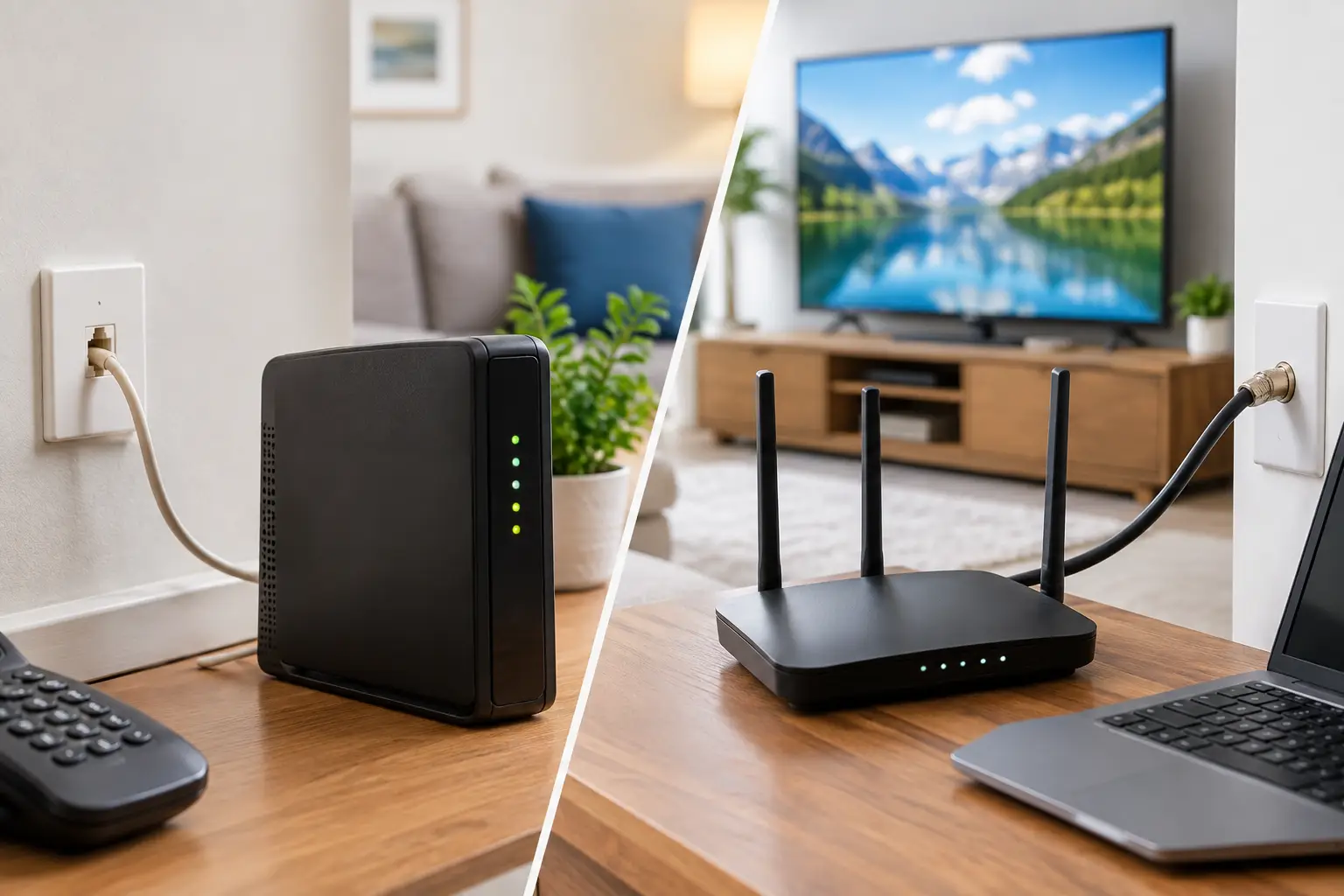
If DSL vs cable internet is the choice at your address, cable is usually the better fit for a modern household. It generally delivers much faster download speeds and has a better chance of meeting the needs of streaming, video calls, gaming, cloud backups, and several people online at once. DSL can still make sense where it is the only wired option, where your needs are very light, or where a particular DSL plan has unusually strong pricing and service.
The catch is that the label alone does not tell you everything. The actual plan speed, the condition of local wiring, peak-time performance, data policies, price after promotions, and available alternatives all matter. Here is how to compare them without getting buried in technical language.
DSL vs Cable Internet at a Glance
| Feature | DSL | Cable internet | | — | — | — | | Uses | Existing telephone lines | Coaxial cable TV lines | | Typical download speed | Often below 100 Mbps, though some newer systems are faster | Commonly 100 Mbps to 1 Gig or more | | Upload speed | Usually modest | Usually faster than DSL, but often much lower than downloads | | Effect of distance | Speed can fall the farther you are from equipment nearby | Distance inside the neighborhood is less of a factor | | Peak-time slowdowns | Possible, often tied to line quality | Possible when a local neighborhood network is busy | | Best fit | Light use or limited-service areas | Most homes with multiple devices and regular streaming |
How DSL Internet Works
DSL sends internet data over the copper phone lines already connected to many homes. It uses frequencies separate from traditional phone calls, so the service can work without tying up a phone line.
Its biggest limitation is copper. DSL performance depends heavily on the distance between your home and the provider’s nearby network equipment. A house close to that equipment may receive a workable connection, while another home a few blocks or miles away may qualify only for a much slower plan. Aging lines, poor connections, and interference can also affect reliability.
That is why DSL availability can be misleading. A company may serve your neighborhood, but the speed available at your specific address could be far below what a household expects. Many legacy DSL plans are under 100 Mbps, and uploads may be only a few Mbps. That can be enough for email, browsing, and one or two light users, but it becomes restrictive quickly when a home adds 4K streaming, video meetings, security cameras, or large cloud backups.
Some newer phone-line technologies can deliver better speeds in limited areas, especially where fiber has been brought closer to homes. Still, do not assume that a plan marketed under the broad DSL label will perform like cable or fiber. Ask for the speed offered at your address, including upload speed.
How Cable Internet Works
Cable internet uses the coaxial lines that have long been used for cable television. Those lines have much more capacity than traditional phone wiring, which is why cable plans commonly start at speeds that are practical for current household use and can reach 1 Gig or higher.
For most people, cable’s advantage is simple: it has more room for several activities at the same time. One person can be on a work video call while another streams a show, kids use online learning tools, and smart devices stay connected in the background. A cable plan in the 300-500 Mbps range is often a comfortable choice for an active family, while 1 Gig or more can be useful for heavy-use homes with many users, frequent large downloads, and substantial cloud activity.
Cable does have a trade-off. Homes in the same area share portions of the local network. When many neighbors are online at once, usually in the evening, some customers may see slower performance. Well-maintained, modern cable networks manage this well, but congestion can be noticeable in certain areas. Reviews from nearby residents can be more useful than broad statements about cable performance.
Speed Is Only Part of the Decision
Download speed gets the attention because it affects streaming and downloads, but upload speed deserves a close look. Uploads matter for video calls, sending large files, online backups, livestreaming, and security cameras that send video to the cloud.
Cable usually offers better upload speeds than DSL, but it is often an asymmetrical service, meaning downloads are much faster than uploads. For many homes that is fine. If you regularly upload large video projects, work from home with big files, or have several cameras uploading footage, compare the actual upload number rather than relying on the headline download speed.
Latency is another factor, especially for gaming and real-time calls. Both DSL and cable can provide acceptable latency when working properly. A stable connection matters more than chasing small differences in ping times. Wi-Fi problems inside the home can also look like an internet problem, so test with a device connected directly to the router when possible.
What Speed Should You Look For?
For a typical household, 100 Mbps is the minimum practical starting point when it is truly available and priced reasonably. It can support everyday browsing, streaming, and a modest number of connected devices, but it leaves less room when several people are active at once.
A 300-500 Mbps plan is a more comfortable range for many families, renters sharing a home, and small businesses with regular video calls, multiple streams, gaming, and connected devices. A 1 Gig plan may be worthwhile for a large household, people who move huge files, serious gamers who download large titles often, or homes where many people use the connection heavily at the same time.
This does not mean every home needs a Gig plan. Buying far more speed than you can use wastes money, and a weak router can prevent you from seeing the benefit anyway. But choosing a legacy DSL tier because it is cheap can create daily frustration if the service cannot keep up with how your household actually uses the internet.
Reliability, Equipment, and Pricing Questions to Ask
Before choosing, confirm the plan details for your exact address. Ask whether the displayed speed is the expected speed or merely the maximum available. Check upload speed, equipment fees, installation charges, contract terms, data allowances, and the regular monthly price after any introductory offer ends.
With cable, find out whether you can use your own compatible modem and router. Provider equipment may be convenient, but monthly rental fees add up. If you use your own equipment, make sure it supports the plan you are buying and has current security updates. A modem handles the incoming cable connection; a router creates Wi-Fi throughout the home. They are sometimes combined into one device.
With DSL, ask whether the service requires a phone line or special equipment, and whether the provider can test the line if performance is poor. A slow DSL connection caused by distance cannot be fixed with a new Wi-Fi router. A router can improve coverage inside the home, but it cannot create speed that is not coming into the house.
Also consider outages. Both technologies need powered equipment in or near your home, so neither is guaranteed to work during a power outage unless you have backup power. If reliable connectivity is essential for work or safety, a phone hotspot or a second connection can be a sensible backup.
When DSL Is Still the Better Choice
DSL is not automatically a bad choice. It can be reasonable for a single person with light internet needs, a vacation property, or an area where cable service has a poor local reputation. It may also be the only wired option in rural or older neighborhoods.
The key is to be realistic about the speed offered. If the DSL plan is below 100 Mbps, treat it as a limited connection rather than a long-term answer for a busy, connected household. If cable is available at a similar price, it will usually provide more useful capacity and more room to grow.
If neither option looks strong, check whether fiber, fixed wireless, or another local service is available at your address. Technology matters, but your experience will ultimately come down to the actual connection available where you live and whether it matches the way your household uses the internet.