A new internet option may be available at your address, but that does not automatically make it a better fit. In the cable vs fixed wireless decision, cable is usually the more predictable choice for busy homes. Fixed wireless can be an excellent alternative when cable is unavailable, overpriced, or difficult to install, especially if local wireless coverage is strong.
The right answer comes down to how your household uses the connection, how reliable service is in your area, and what the plan actually includes. A family streaming in several rooms, working from home, gaming, and using cloud backups has different needs than a renter who mainly streams and browses.
Cable vs Fixed Wireless: The Basic Difference
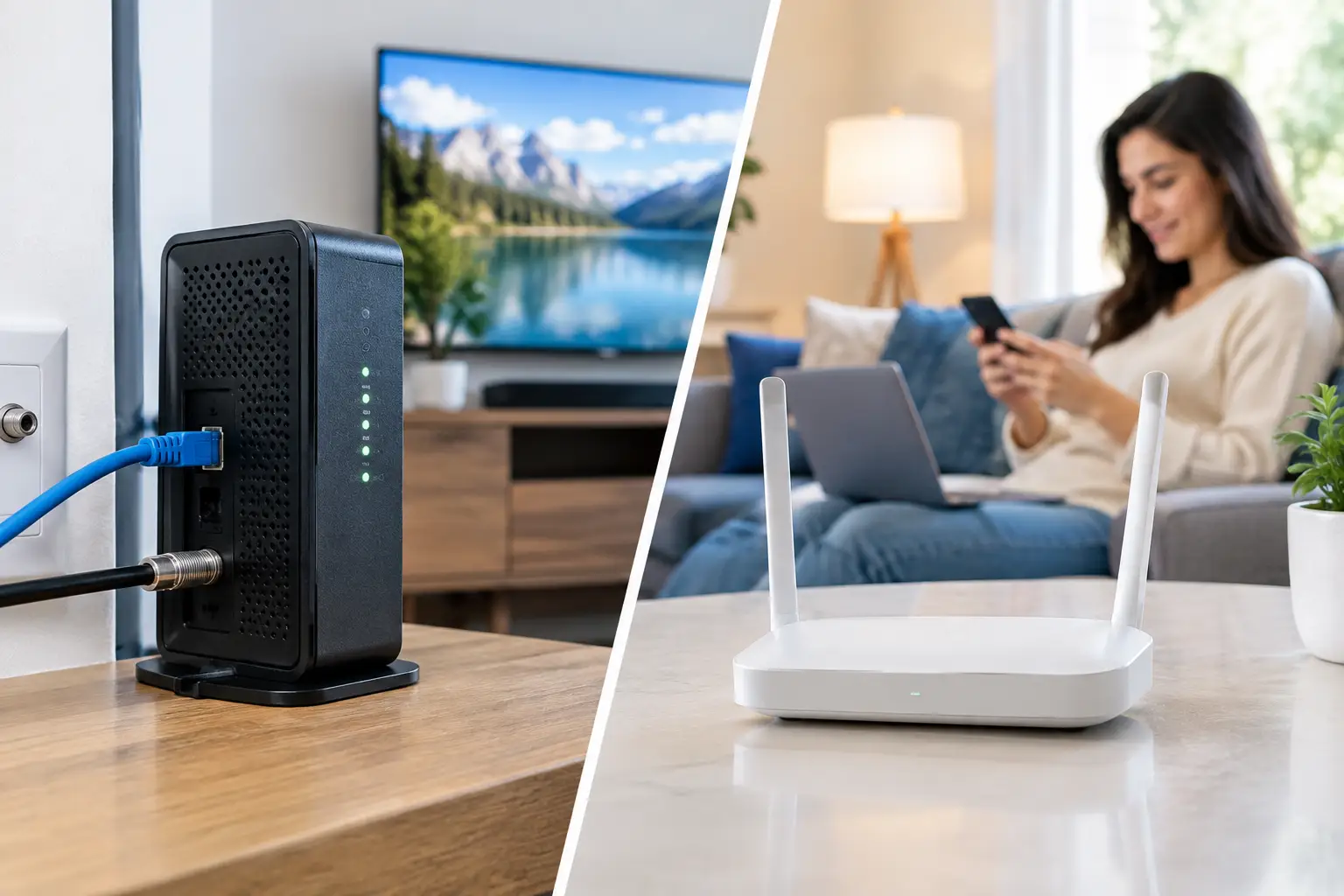
Cable internet reaches your home through the same type of coaxial cable used for traditional cable TV. The cable connects to a modem, then to your router or Wi-Fi gateway. It is a wired connection to the home, although your phones, TVs, and laptops still connect over Wi-Fi inside.
Fixed wireless internet sends the connection through the air from a nearby cell tower or dedicated wireless site to a receiver in or on your home. Some services use a small outdoor antenna; others use a gateway placed near a window. It is designed for a fixed address, unlike phone-based mobile hotspot service.
Both can provide real home broadband. The practical difference is that cable relies on a physical neighborhood network, while fixed wireless depends heavily on the quality and capacity of the wireless signal serving your address.
Speed: Cable Is Usually More Consistent
Cable plans commonly offer download speeds from 100 Mbps to 1 Gig or more, depending on the local network. For most households, 300 to 500 Mbps is a comfortable range for several people streaming, working, gaming, and using smart devices at once. Heavy-use homes may benefit from a Gig plan, particularly when many people regularly download large files or use cloud storage.
Fixed wireless speeds vary more by location. A plan might deliver well over 100 Mbps at one house and substantially less a few blocks away. Distance from the tower, trees, hills, building materials, network traffic, and even the placement of the gateway can affect results.
That does not mean fixed wireless is always slow. In a strong coverage area, it can easily support 4K streaming, video calls, schoolwork, and normal online gaming. The key is to look past advertised peak speeds. Ask what customers at your exact address typically receive at busy times, not just what the plan can reach under ideal conditions.
Download speed is only part of the picture
Cable usually has higher download capacity, which helps with large game downloads, software updates, and multiple simultaneous video streams. But upload speed deserves attention too. Upload affects video meetings, sending large files, security cameras, cloud backups, and livestreaming.
Traditional cable plans often provide much lower upload speeds than download speeds. Fixed wireless may offer more balanced results in some areas, but its upload performance can also shift with signal strength and congestion. If someone in the home works remotely, ask about typical upload speed and latency before making a decision.
Reliability and Busy-Hour Performance
Cable is generally less affected by weather and signal conditions because the connection is wired to the home. It can still slow down when many neighbors are online, especially on older or heavily used local networks, but performance tends to be relatively steady.
Fixed wireless is more variable by nature. Rain alone does not usually cause a major problem for modern fixed wireless service, but severe weather, obstructed signal paths, equipment issues, or a crowded tower can affect performance. The service may work perfectly for months and then become less consistent if more customers begin using the same local tower.
Latency, often called ping, is another factor. It measures the delay between your device and an online server. Lower latency generally feels better for competitive gaming, real-time video calls, and remote desktop work. Cable often provides more consistent latency. Fixed wireless can be perfectly usable for these activities, but latency may fluctuate more, particularly during peak evening hours.
If a dependable connection is essential for a home office or business, consider how you would handle an outage. A mobile backup connection can be worthwhile regardless of which primary service you choose.
Data Limits and Plan Details Matter More Than the Technology
Do not assume either service has unlimited data. Cable plans may include a monthly data allowance in some markets, while others include unlimited data or offer it for an added charge. Fixed wireless plans often advertise unlimited data, but some may reduce speeds during congestion or give different priority to different types of customers.
Read the service terms for three things: a hard data cap, a charge for exceeding the cap, and any language about reduced speeds during periods of network congestion. These details matter for households that stream heavily, download games, use internet-connected cameras, or back up photos and videos to the cloud.
Also check equipment costs. Cable service may involve modem and router rental fees unless you use compatible equipment you own. Fixed wireless commonly uses a provider-supplied gateway, and self-installation may be possible. An outdoor receiver installation can require an appointment, so renters should verify what changes to the property are allowed.
Home Wi-Fi Can Make Either Service Feel Better or Worse
A fast internet plan does not fix weak Wi-Fi. A cable connection delivering 500 Mbps can still feel slow in a back bedroom if the router is in a basement corner. The same is true with fixed wireless, with one added challenge: the gateway may need to sit in the part of the home that gets the best cellular signal rather than the most central location for Wi-Fi.
That placement issue is worth discussing before signing up. If the fixed wireless gateway needs to be near an upstairs window, you may need a mesh Wi-Fi system or a wired access point to bring stronger coverage to the rest of the home. For cable, placing the router in a central, open area is usually the better starting point.
When comparing plans, test your current Wi-Fi first if possible. Run speed tests near the router and in the rooms where you work, stream, or game. A coverage problem can look exactly like an internet speed problem.
When Cable Is the Better Choice
Cable is usually the safer pick when it is available at a reasonable price and your household has consistent, high demand. It is particularly well suited to active families with several simultaneous users, serious gamers, frequent large downloads, and people who need steadier performance for remote work.
Choose a plan starting at 100 Mbps only for a smaller household with modest needs. Most families should look first at 300 to 500 Mbps, then decide whether a higher tier is worth the added monthly cost. Paying for a Gig plan makes sense when your usage truly calls for it, but it will not improve Wi-Fi range by itself.
When Fixed Wireless Makes Sense
Fixed wireless deserves serious consideration when cable is not available, installation would be complicated, or the cable option comes with poor value or restrictive terms. It can also be a practical choice for renters who want simpler setup, provided the service works well at the address.
It works best when the provider confirms strong service at your specific location and the plan delivers at least 100 Mbps consistently for your household. Before canceling an existing connection, test fixed wireless during the times your home is busiest. Stream video on multiple devices, join a video call, and try a game or large download if those are part of your normal routine.
Do not choose solely based on the lowest advertised monthly price. A lower bill is not a bargain if evening slowdowns interfere with work or entertainment. On the other hand, there is no reason to pay more for cable if fixed wireless performs well enough for the way you actually live online.
The best choice is the one that remains dependable when everyone gets home, turns on their devices, and expects the internet to work.